Direct device connection
The app discovers and connects to a compatible testing device via Bluetooth, directly on the user’s mobile device.
Bluetooth Direct International App
The Eaglenos International App brings device connection, test results, health records and data export into one clear local data journey. Core activities take place on the user’s device, supporting data minimization and meaningful user control.
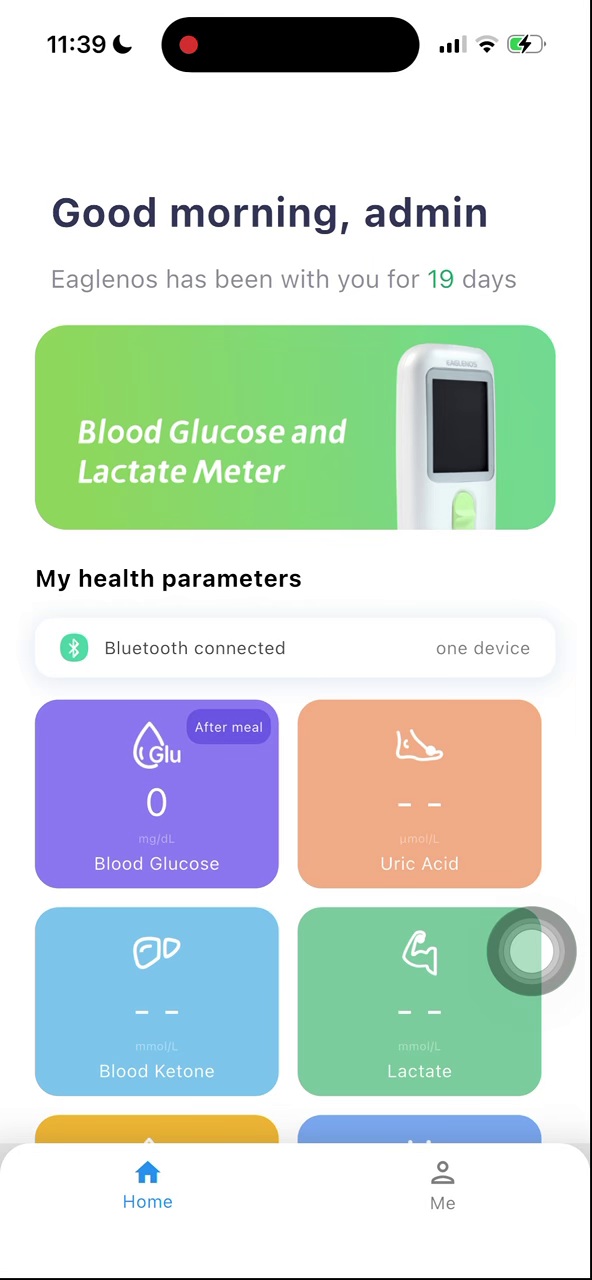
Core records are created and viewed on the user’s device
Export happens only when the user explicitly requests it
CSV files can be saved and shared at the user’s discretion
A complete core data loop without an additional platform backend: connect directly, receive instantly, keep records on device, and let the user decide when and where to export.
The app discovers and connects to a compatible testing device via Bluetooth, directly on the user’s mobile device.
Bluetooth DirectWhen a test is complete, the result enters the app immediately for confirmation, status selection and optional notes.
Instant ResultResults, timestamps, indicators and notes are organized into history and trend views within the app.
On-device DataThe user starts export from the history page, creates a structured CSV, then chooses where to save or share it.
User ControlledThe International App keeps data control close to the user. Its core data journey does not depend on a cloud backend, supporting data minimization, purpose limitation and user autonomy through a clear product design.
Device results move directly into the app, reducing unnecessary transfer steps.
Users can review records, trends, measurement time and notes on their device.
A portable data file is generated only after the user actively selects export.
The mobile operating system lets the user choose how and where the file is used.
This walkthrough covers device discovery and connection, result reception, record enrichment, history review and the export entry point—showing the actual mobile experience end to end.
Beyond the screens themselves, the walkthrough shows how a test result becomes a record, how the user adds context, and how that record reaches an export-ready history list.
Find an available device and confirm its Bluetooth connection
Automatically receive creatinine, glucose and other test results
Add measurement status, time and personal notes
Explore historical records in list and chart views
Initiate data export directly from the history page
The device and mobile app are shown together: the result enters the app, becomes a local record, and is then exported as a CSV for the user to save or share.
The value displayed on the testing device matches the value received by the app, then appears in local history. After the user selects Export data, the app creates a CSV and hands it to the system save and share panel.
Export is not an automatic background action. It is explicitly initiated by the user in the app. Once records are converted into a standard CSV file, the mobile operating system handles saving and sharing.
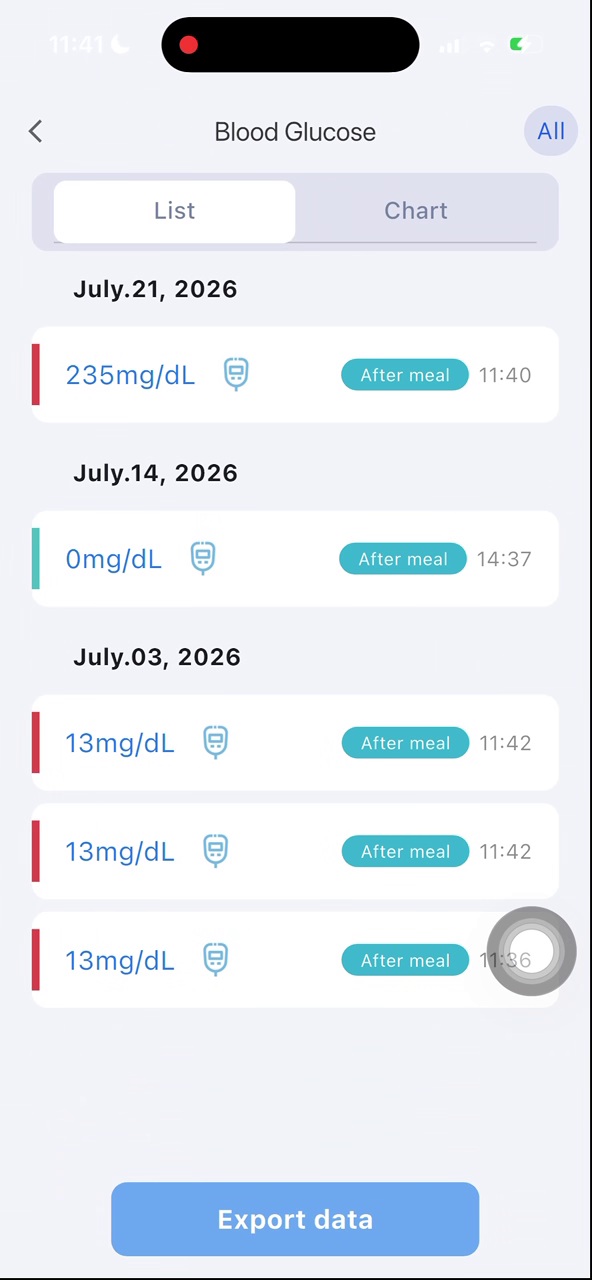
Review local history for an indicator, then select Export data.
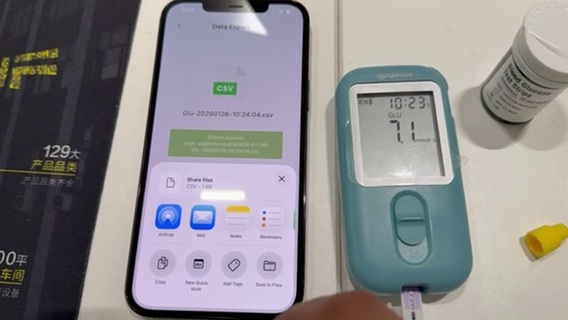
The app organizes selected records into a standard CSV with a clear filename and export time.
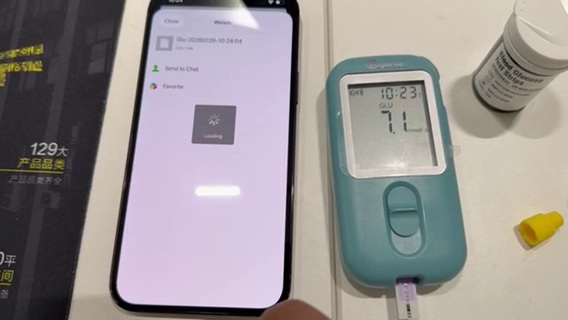
Use system options to save the file or send it to a selected destination—the user remains in control.
The Eaglenos International App makes testing, records and export a visible, understandable and controllable local data journey—preserving a complete product experience while creating a clear foundation for privacy-conscious global deployment.